Tighter Spacing
Shrink the gap between items from the system’s 16 pt all the way down to zero, with a live preview and four presets from Default to Packed.
Tighten the spacing, recolour the bar, reorder the items. The macOS menu bar, your way.
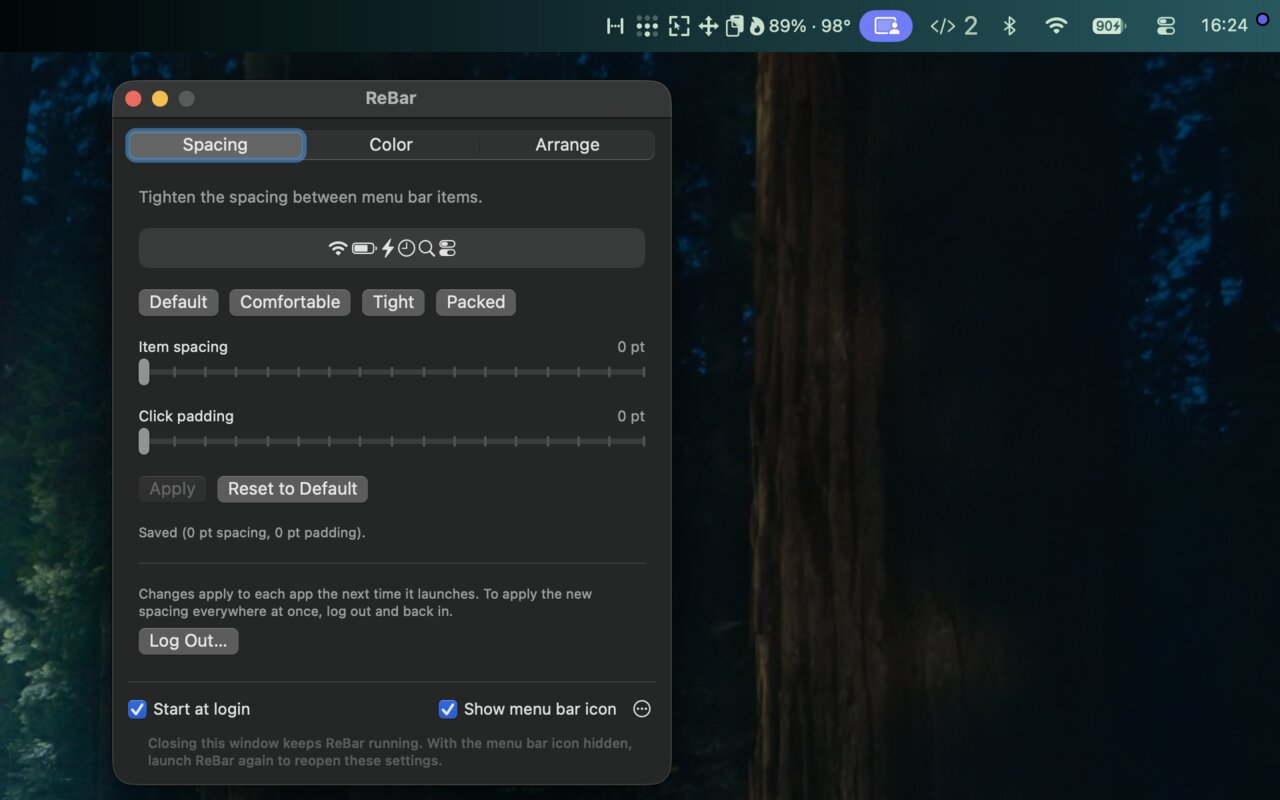
Shrink the gap between items from the system’s 16 pt all the way down to zero, with a live preview and four presets from Default to Packed.
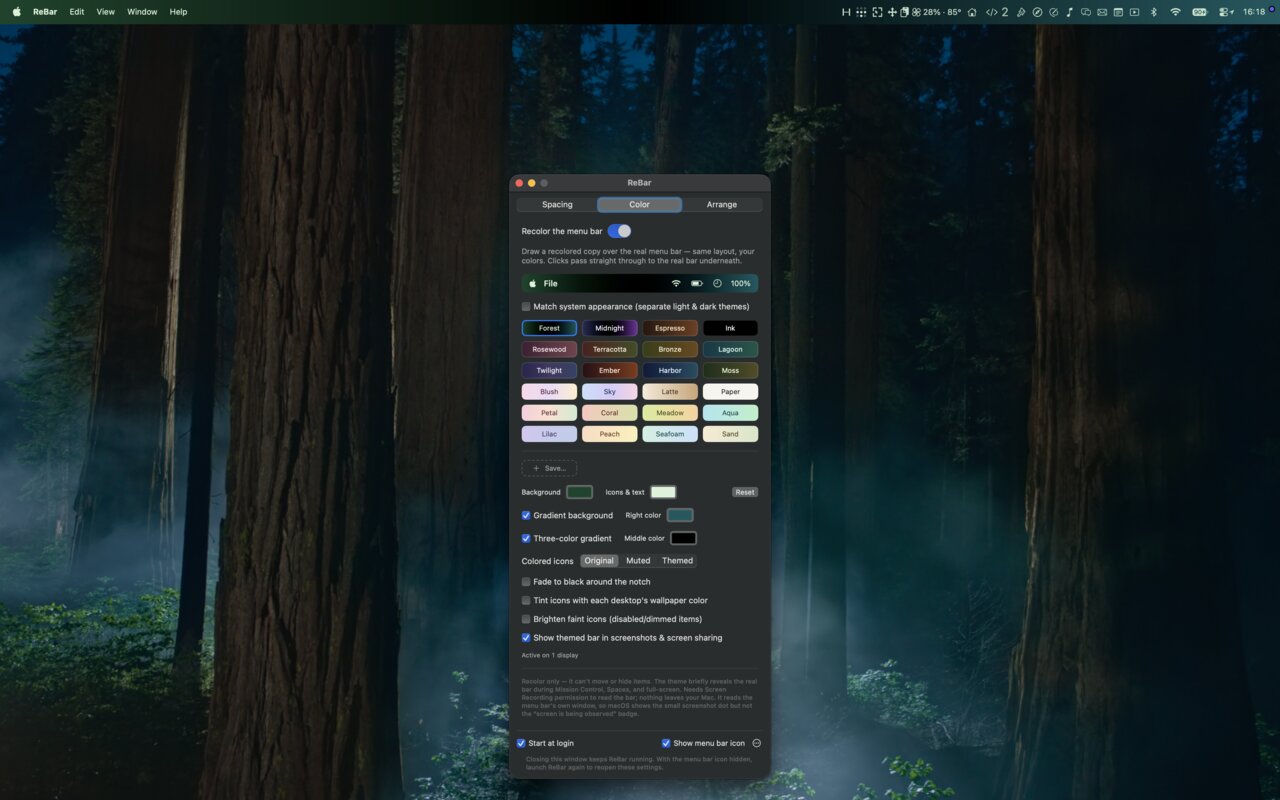
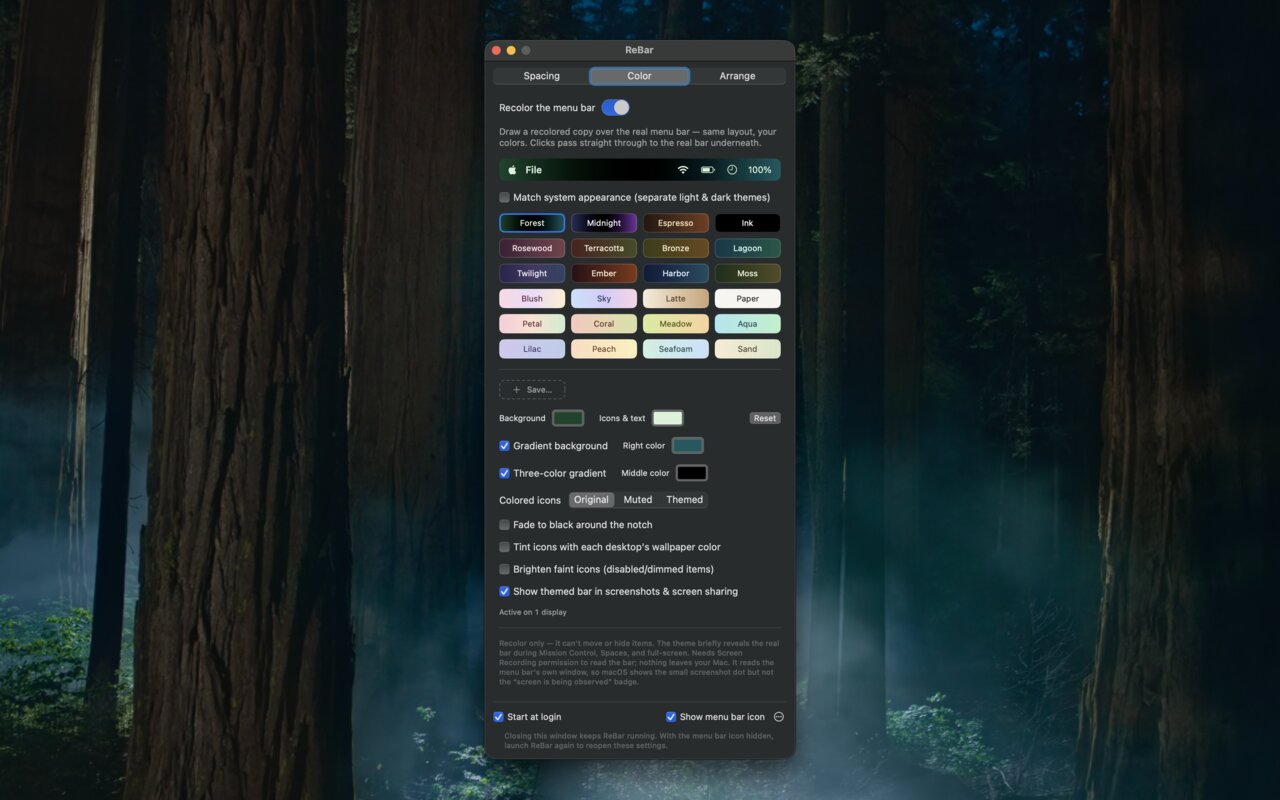
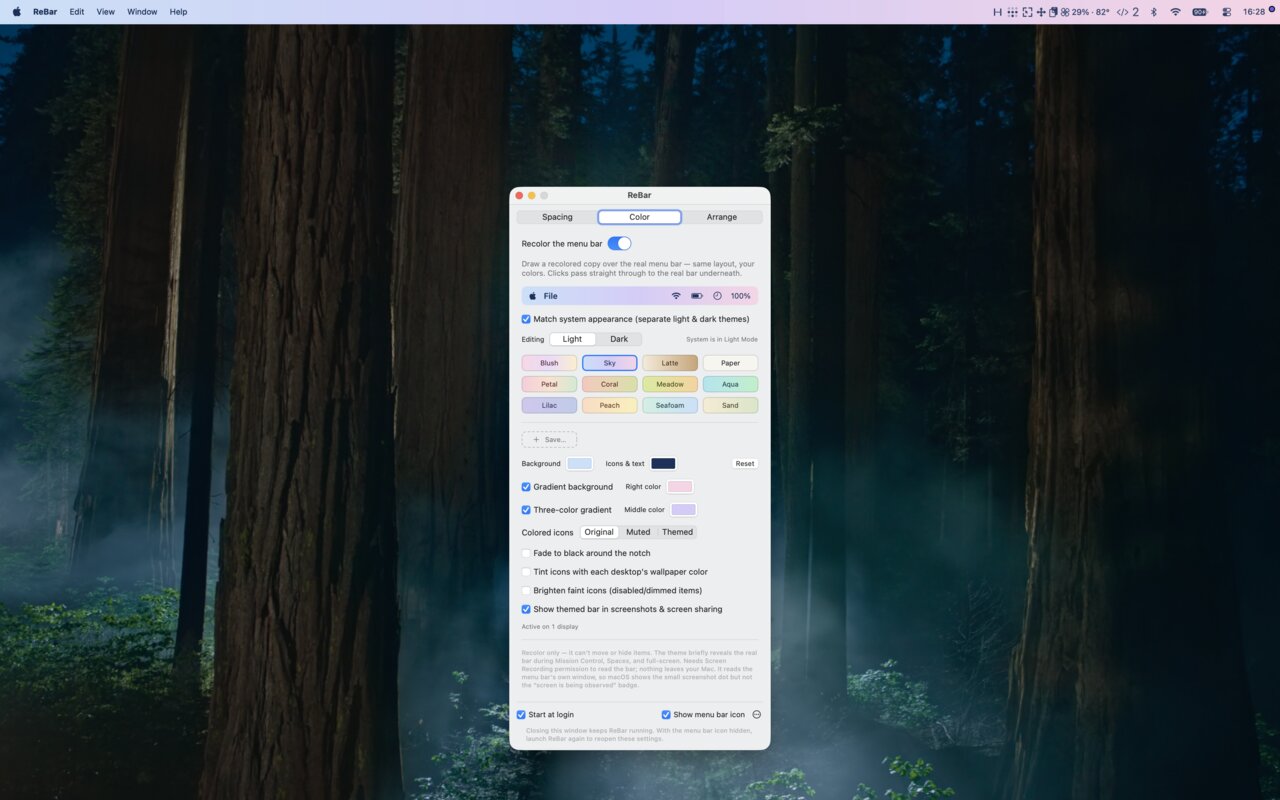
Solid colours, or two- and three-stop gradients, painted over the real bar as a click-through overlay. Clicks still land on the items underneath.
Full Mirror repaints icons and text pixel-perfectly. Background Tint lays a translucent wash over the bar and needs no permission at all.
Keep separate light and dark themes that follow the system appearance. Eight built-in presets, unlimited custom ones.
Keep genuinely coloured icons as they are, mute them, or repaint them to match. Fade to black around the notch, or tint icons with each desktop’s wallpaper.
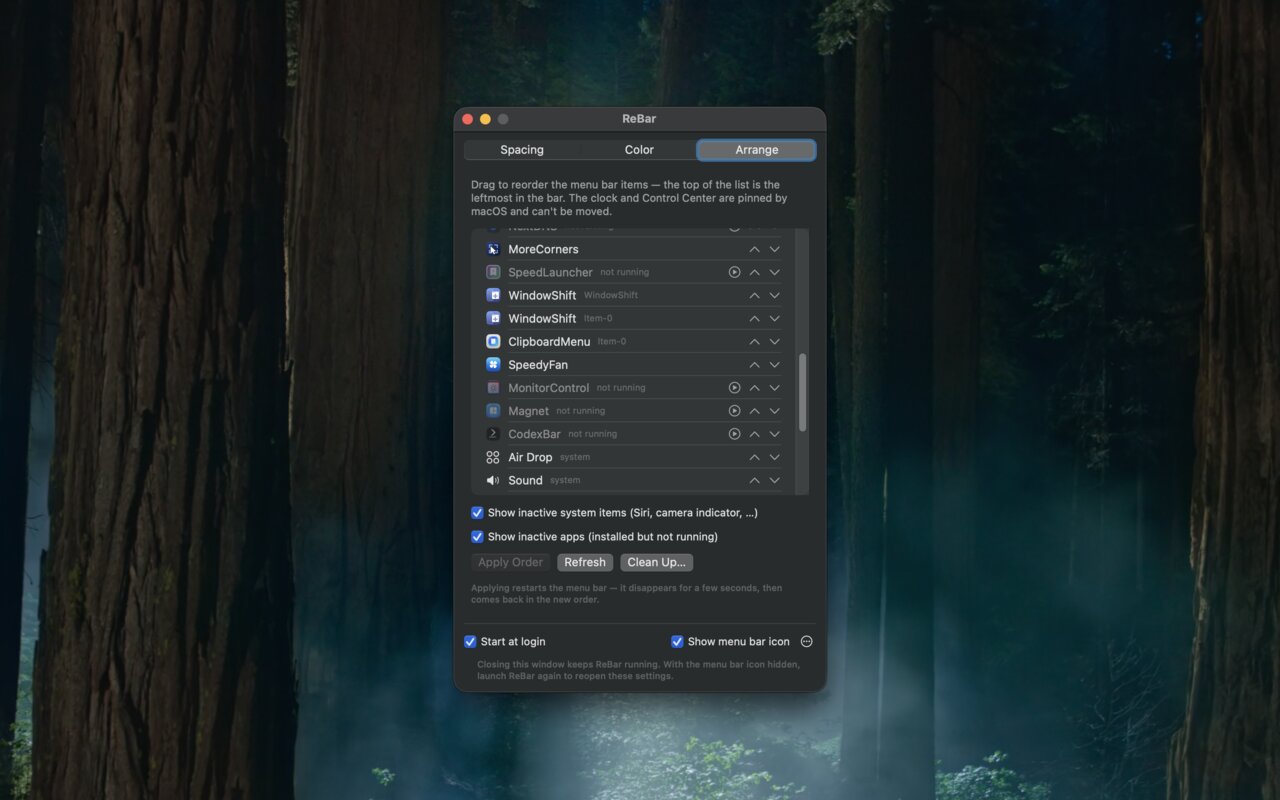
A list of every menu bar item, third-party and movable system ones alike. Drag them into the order you want and apply.
Items from installed-but-not-running apps are listed too, greyed out with a launch button. Clean Up removes stale entries left by uninstalled apps.
The layout is backed up before every change. Settings export and import as JSON. Runs in the background with an optional icon and launch at login.
No network access. Captured pixels never leave memory, let alone your Mac.
Full Mirror needs Screen Recording to read the bar it repaints; frames live in memory only and are never written to disk. Background Tint needs nothing. Automation is requested only by the Log Out button. Preferences and layout backups stay in your home folder.
 MoreCornersHot corners for macOS, without the limits. Every corner, any modifier, 46 actions.
 SpeedyFanMonitor and control the fans in Apple Silicon Macs, with supervision that won’t let it end badly.
 ClipboardMenuA clipboard history app with wide support — copy and save anything from text to videos.